

Description
Free SMS Sharing from Chrome
Overview
160by2 is a free browser extension designed to simplify the process of sharing content via SMS directly from the Chrome browser. The software enables users to send links, text snippets, and entire web pages as SMS messages with just a few clicks. It is particularly useful for individuals who frequently share information online and prefer immediate delivery through mobile messaging. The tool is built for users seeking a fast, no-cost method to distribute content across devices without relying on email or social media platforms.
Target users include professionals managing real-time communications, content curators, students collaborating on group projects, and casual internet users who value convenience. The extension integrates seamlessly into the Chrome environment, allowing for instant access to its core functionality through right-click context menus or a dedicated toolbar icon. By syncing with a central web dashboard at 160by2.com, users can track and manage their sent messages across devices.
The developer, 160by2, positions the tool as a secure and privacy-focused utility. According to the provided information, the company claims not to read or store personal user data. This emphasis on data privacy may appeal to users concerned about digital footprints when sharing content online. The software operates entirely within the browser context, reducing the need for additional desktop applications or complex setup procedures.
Key Features & Capabilities
- One-Click SMS Sharing – Users can right-click on any link, selected text, or an entire webpage and instantly send it as an SMS using the 160by2 extension. This eliminates the need to copy, paste, and manually enter messages into a mobile app.
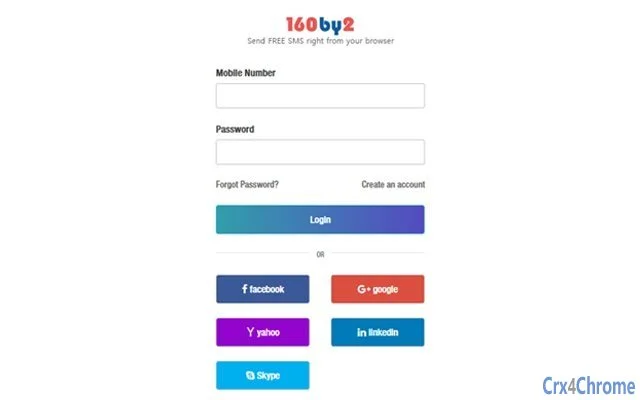
- Multi-Platform Integration – The extension supports login via multiple accounts including Gmail, Yahoo, Facebook, LinkedIn, and Skype, enabling users to authenticate quickly and maintain consistent access across devices.
- Address Book Sync – Contacts are synced with the 160by2.com dashboard, allowing users to send messages to individuals by name rather than phone number, streamlining the sharing process.
- Web and SMS Alerts – In addition to sending messages, users can receive alerts through their inbox and social networks, enhancing real-time communication for time-sensitive information.
- Message History Access – All sent messages are stored on 160by2.com, providing a centralized location for review, reference, and retrieval.
These features are especially beneficial in collaborative environments where timely sharing of resources is critical. For example, a team member can share a research article with a colleague by selecting the link and choosing the extension from the right-click menu. Similarly, a student can forward a relevant webpage to a study group with minimal effort. The ability to send messages without leaving the browser enhances workflow efficiency and reduces friction in digital communication.
User Interface, Workflow & Performance
The user interface of 160by2 is minimal and integrated directly into the Chrome browser environment. The extension appears as a small icon in the browser toolbar, providing immediate access to its core functions. Navigation is straightforward: users either right-click on content or click the extension icon to initiate sharing. The workflow is consistent across all supported actions—sharing links, text, or entire pages—ensuring a uniform experience.
Interaction with the extension is designed to be intuitive, requiring no prior training or technical knowledge. Once authenticated, users can send messages with minimal steps, reducing cognitive load and increasing usability. The interface does not include complex settings or configuration options, which contributes to a clean and focused experience.
Performance details were not specified by the developer. However, as a lightweight browser extension (1.2 MB), it is expected to operate efficiently without significant impact on browser speed or system resources. The extension functions entirely within the browser context, meaning it does not run as a standalone application. Stability is likely dependent on Chrome’s own performance and update cycles. The developer did not provide information on CPU or RAM usage, nor did they specify any known compatibility issues.
Compatibility & System Requirements
160by2 is compatible with Windows, Mac, and Linux operating systems, making it accessible to a broad user base across different computing environments. It is designed specifically for the Chrome browser, meaning it requires Chrome to function properly. The extension version is 1.0.0, with a file size of 1.2 MB, indicating a lightweight footprint.
Exact system requirements were not listed. The developer did not provide information on minimum processor speed, RAM, or disk space beyond the file size. It is also unclear whether the extension supports older versions of Chrome or if it requires a specific version for optimal performance. Installation is straightforward, as it is distributed through the Chrome Web Store, which handles the setup process automatically.
Platform compatibility information is limited to the supported OS and browser. Users should ensure their system meets general Chrome requirements, though specific details are not available. The extension does not appear to require administrative privileges for installation, which simplifies deployment in shared or restricted environments.
Pros and Cons
Pros
- Completely free to use with no hidden costs
- Seamless integration with Chrome browser
- One-click sharing of links, text, and web pages
- Syncs with user’s address book via 160by2.com
- Messages are stored on a web dashboard for review
- Supports multiple login methods including social accounts
Cons
- Requires registration at 160by2.com to use
- Dependent on Chrome browser only
- Exact system requirements not disclosed
- Performance behavior under heavy use not documented
- Limited to SMS delivery; no support for other messaging platforms
FAQ Section
Is 160by2 available for browsers other than Chrome?
Based on the provided information, the extension is specifically designed for Chrome. No details were given about compatibility with other browsers such as Firefox, Edge, or Safari.
Is my data secure when using 160by2?
The developer states that they do not read or store personal information. However, the exact data handling practices, encryption methods, or privacy policies were not included in the provided documentation.
How do I update the 160by2 extension?
Updates are typically managed automatically through the Chrome Web Store. Users are advised to ensure their browser is set to update extensions automatically for the latest version.
Can I use 160by2 without creating an account?
No. Registration at 160by2.com is required to authenticate and use the extension. Users must provide a mobile number and password for access.
Does 160by2 work offline?
The extension requires an active internet connection to send messages and sync with the 160by2.com dashboard. Offline usage is not supported.
Final Thoughts
160by2 offers a simple, effective solution for users who need to share web content via SMS without leaving their browser. Its lightweight design, free access, and intuitive workflow make it a compelling tool for professionals, students, and casual users alike. The ability to send messages with a single click, combined with centralized message history, enhances productivity and communication efficiency.
While the lack of detailed system requirements and performance data limits deeper evaluation, the extension’s core functionality is well-executed and focused. The integration with multiple login methods and address book syncing adds significant convenience. For those who frequently share information and value speed and simplicity, 160by2 delivers a solid experience.
Download 160by2 now
Guides & Tutorials for 160by2 Extension for Chrome
How to install 160by2 Extension for Chrome
- Click the Preview / Download button above.
- Once redirected, accept the terms and click Install.
- Wait for the 160by2 Extension for Chrome download to finish on your device.
How to use 160by2 Extension for Chrome
This software is primarily used for its core features described above. Open the app after installation to explore its capabilities.
User Reviews for 160by2 Extension for Chrome 0
No reviews found





